
Electronics Marketplace Near Me: Sell Phones & Laptops Safely
A step-by-step guide to selling used phones, laptops, and gear locally on Brixaz: the exact fields buyers trust, a reset routine, pricing signals, and safe-handoff rules.
ARTICLE LANGUAGE
Showing original language
Search "electronics marketplace near me" and you'll find a crowd of buyers who want a phone, a laptop, or a pair of earbuds today — from someone close enough to meet, and cheap enough to skip the store. What they usually scroll past is a wall of listings with one dark photo, no storage size, no proof the thing even turns on, and a price that could mean "barely used" or "cracked and locked." If you have a drawer of old devices, that gap is your opening. A clear, honest electronics listing sells in days, not weeks, and it attracts buyers who show up with cash instead of a week of "still available?" messages.
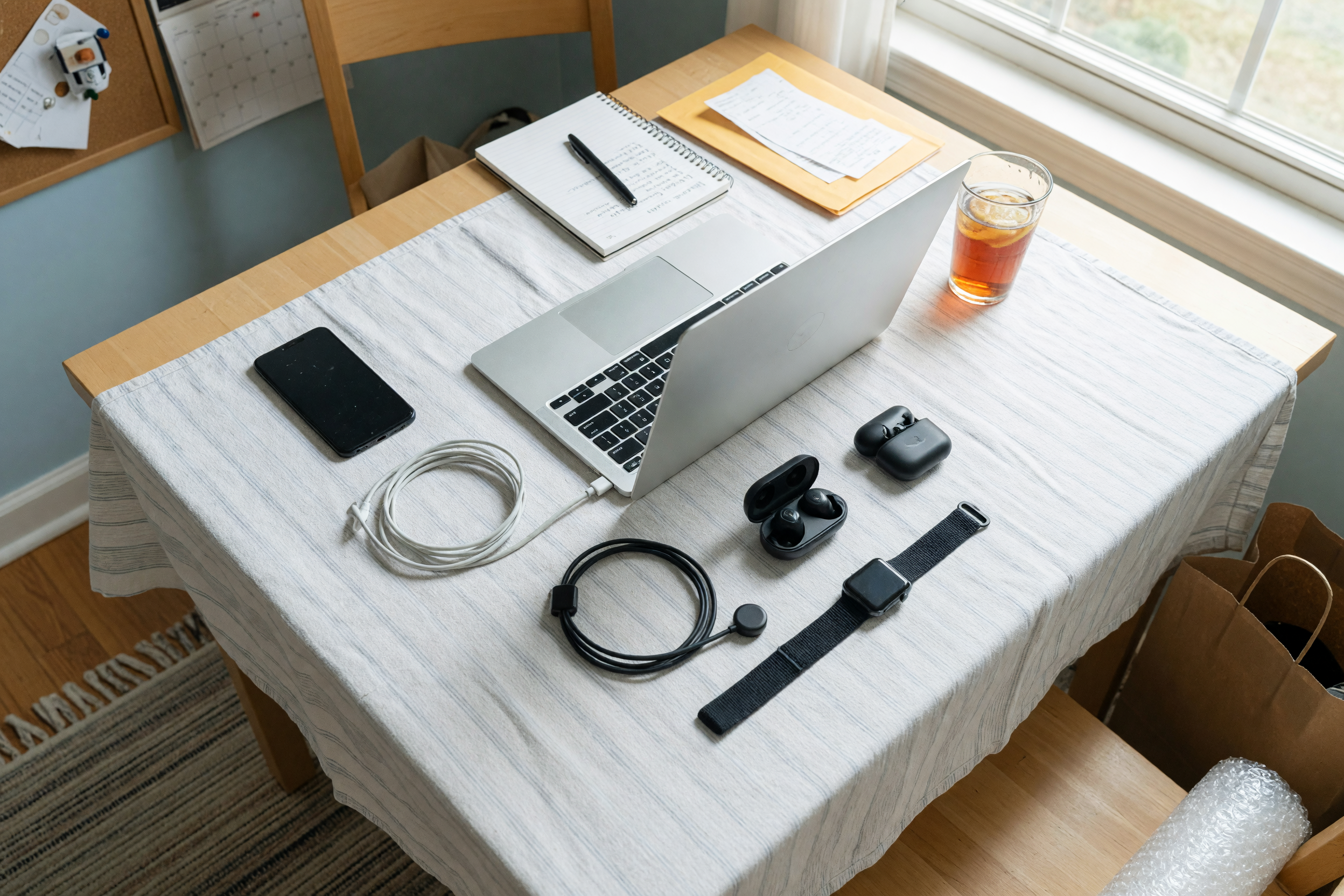
This guide walks a real seller through listing a phone, a laptop, and a piece of gear on Brixaz so a local buyer can decide before they message. You'll get the exact fields that build trust, a reset-and-wipe routine that protects your data, bad-versus-better listing copy, pricing signals, and safe-handoff rules for meeting a stranger. If you can charge a device and take five photos, you can post today.
Why local electronics buyers move fast — and why they ghost
Electronics are the impulse buy of the used market. A phone or a laptop is small, ships or hauls easily, and the buyer already knows exactly what a new one costs. That means a local buyer scanning listings is doing fast mental math: "This model is $600 new, it's two years old, they want $220 — is that a deal or a trap?" The listing that answers the "or a trap?" part wins.
Buyers ghost electronics listings for three specific reasons: they can't tell the exact model or storage size, they can't confirm it works and isn't locked or stolen, and they can't picture a safe way to pay and meet. Every one of those doubts is fixable with a sentence. On Brixaz your device surfaces in the electronics section and by city, so a buyer a few neighborhoods over sees your laptop next to real local options — and direct contact means they message you, not a middleman, so the conversation goes straight to "when and where."
The fields that make an electronics listing sell
Before you write a word, gather the facts a buyer needs to say yes. Electronics buyers are precise — the wrong storage size or a missing charger is enough to make them keep scrolling. Fill every row below for the item you're selling; the specifics are what separate a $220 sale from a $120 lowball.
| Field | Phone example | Laptop example | Gear example (earbuds) |
|---|---|---|---|
| Exact model & year | iPhone 13, 2021 | Dell XPS 13, 2022 (i7) | Wireless earbuds, 2nd gen |
| Storage / specs | 128GB, unlocked | 16GB RAM, 512GB SSD | Charging case included |
| Battery / health | Battery health 89% | Holds ~6 hrs, cycle count low | ~5 hrs per charge |
| Condition notes | Tiny corner scuff (photo 4) | Minor lid wear, screen flawless | Light ear-tip wear, cleaned |
| Account status | Reset, iCloud removed, no MDM | Wiped, signed out, no locks | Unpaired from old phone |
| What's included | Phone + cable, no box | Laptop + original charger | Case, tips, USB-C cable |
| Price & terms | $220 firm, cash on meetup | $540 OBO, cash or Zelle | $45, cash on pickup |
The "account status" row is the one most sellers skip, and it's the one that closes the sale. A used phone that still shows the previous owner's iCloud lock is worthless to a buyer, and they know it. Stating plainly that the device is reset, signed out, and carries no activation or management lock removes the single biggest fear in the used-electronics market.
Reset, wipe, and prove it works before you photograph
Never list a device you haven't wiped. It protects your accounts and photos, and it's also what makes the sale clean. A buyer meeting you wants to power the device on, see a fresh setup screen, and confirm it isn't tied to anyone. Do this the night before you post so the device is charged and ready for photos.
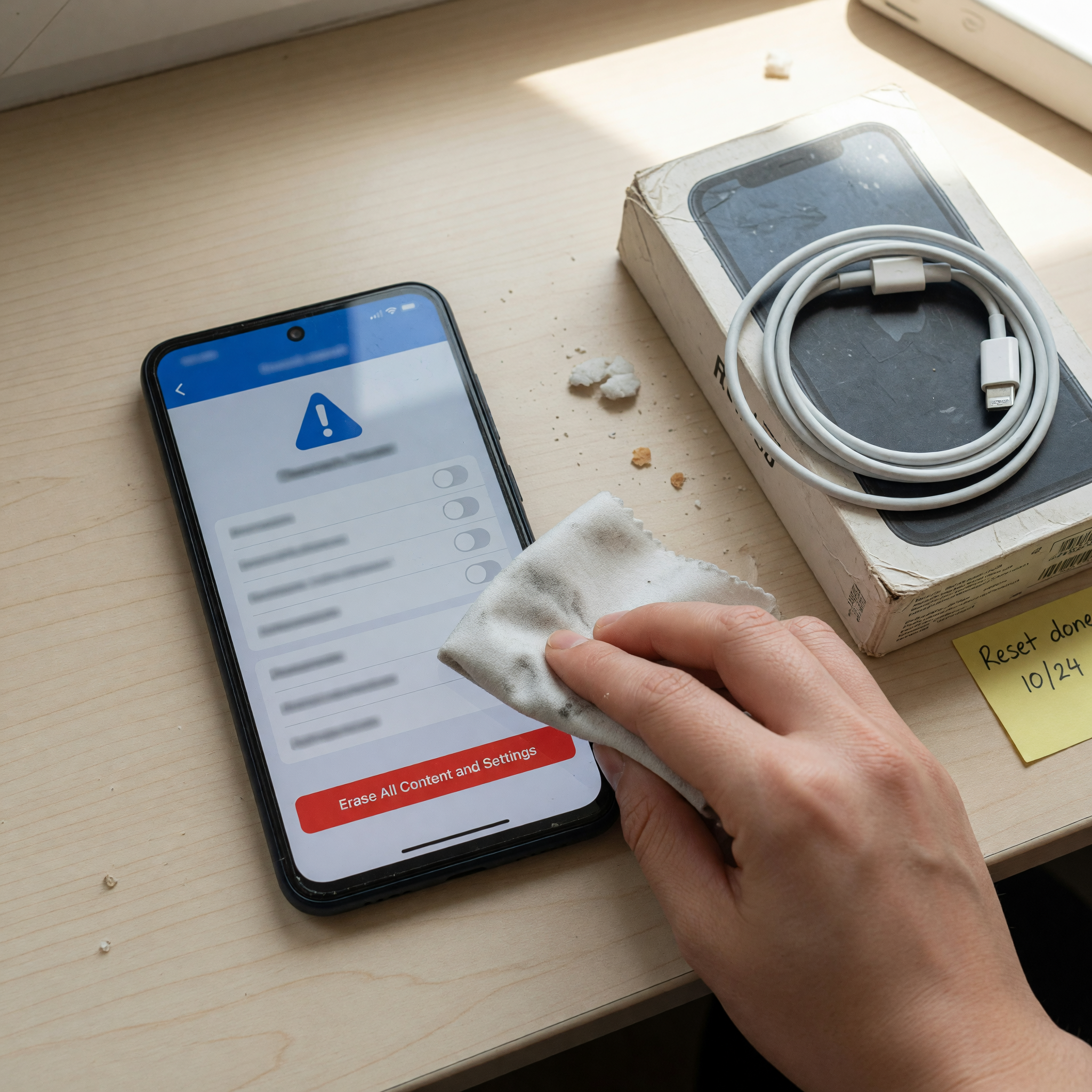
- Back up, then sign out: save your data, then remove the device from your Apple, Google, or Microsoft account so no activation lock remains.
- Factory reset: erase all content and settings. For laptops, wipe the drive and reinstall the OS so it boots to a clean first-run screen.
- Confirm carrier status: for phones, verify the device is unlocked and not reported lost or stolen, and say so in the listing.
- Test the basics: charge to full, check the ports, camera, speakers, buttons, and Wi-Fi, and note anything that doesn't work perfectly.
- Photograph the proof: a shot of the powered-on setup screen tells a buyer more than any promise you can type.
If you already have this device listed on another app or an old spreadsheet, you don't have to retype everything — you can import an existing listing and clean up the fields above before it goes live.
Bad vs. better listing copy for phones, laptops, and gear
The words matter less than the specifics, but structure makes your specifics easy to scan. Compare these real-world versions.
Bad: "iPhone for sale. Works great. $250 obo. Text me."
Better: "iPhone 13, 128GB, unlocked — 2021, from a case-and-screen-protector home. Battery health 89%. One tiny scuff on the bottom corner shown in photo 4; screen is flawless. Fully reset, iCloud removed, no activation lock — I'll power it on at the meetup so you can confirm. Comes with a charging cable, no box. $220 firm, cash at a public meetup near [neighborhood]. Available evenings this week and Saturday — message a time and I'll confirm."
Every added phrase kills a doubt: the storage and "unlocked" kill "which model, will it work on my carrier," the battery health kills "how worn is it," the reset line kills "is it locked or stolen," and the meetup offer kills "how do I know it turns on." For a laptop, lead with the RAM, storage, and processor; for earbuds or a smartwatch, lead with battery life and what's in the box. You've done the buyer's homework, and buyers reward that with a faster yes.
Price it so buyers don't lowball you
Electronics depreciate on a schedule buyers can look up in seconds, so a fantasy price gets ignored and a rock-bottom price leaves money on the table. Anchor to what the same model, storage, and condition actually sell for locally right now — not what you paid, and not the new retail price.
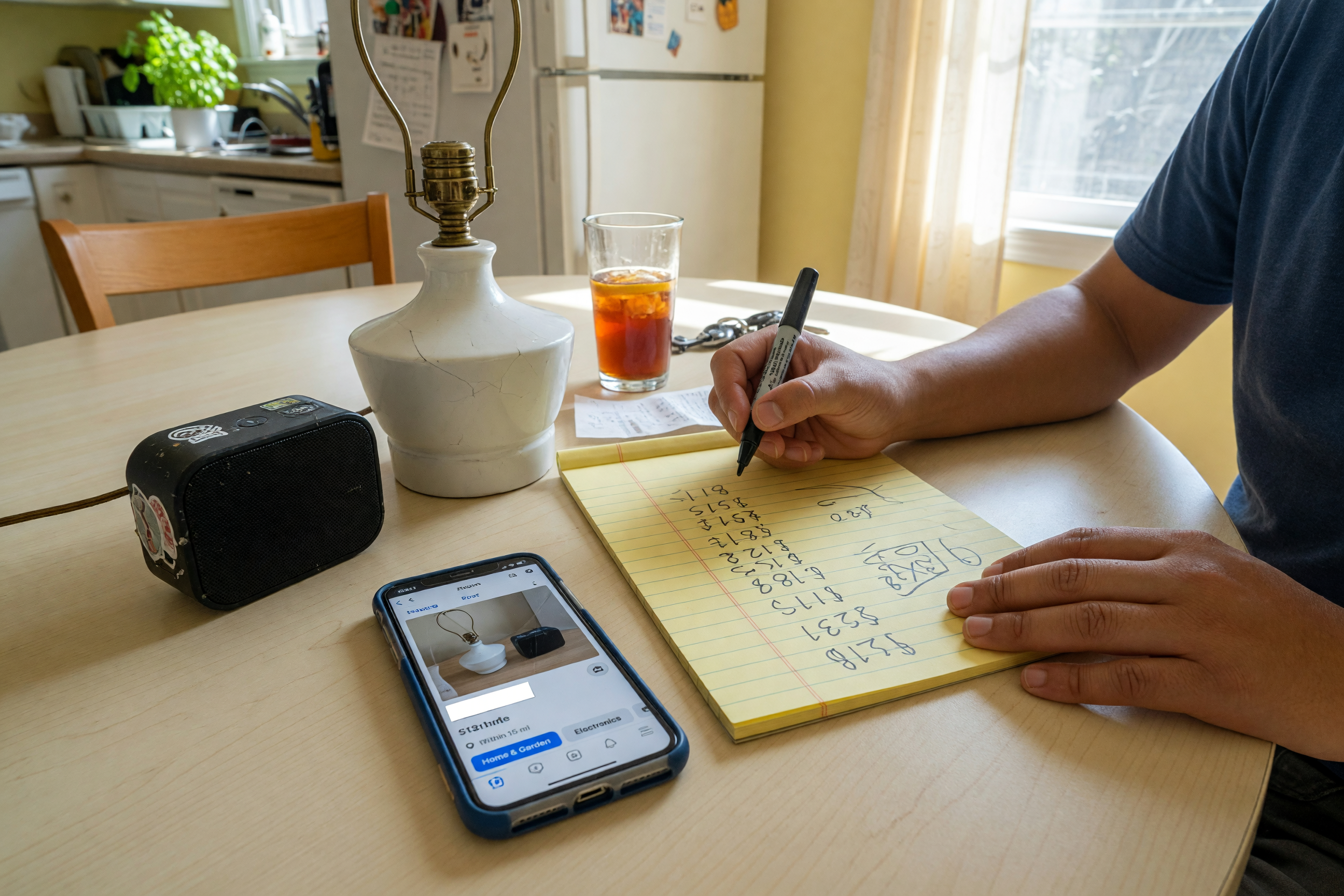
Check comparable sold listings for your exact configuration, then set a number and a clear term: "firm," "OBO," or "cash on meetup." If you're unsure where to land, run the model through the listing price checker to get a realistic range before you post, so your first number is close enough that buyers negotiate instead of scrolling past. A price that reads as fair on the first glance is what turns a saved listing into a message.
Safe local handoff: meetup, payment, and boundaries
Selling electronics locally is low-risk when you set the terms, and stressful when you don't. Decide these before the first buyer messages, and put the meetup rule right in the listing so only serious people reply.
- Meet in public: choose a busy, well-lit spot — many police stations offer marked exchange zones. Daytime is best.
- Bring a helper: for higher-value items like a laptop, having a second person nearby keeps things simple.
- Take payment you can verify: cash counted on the spot, or a payment that clears before the device leaves your hands. Confirm the transfer landed, not just a screenshot.
- Let them test, then hand it over: power it on, show the reset screen, let them check the item, then complete payment. No "I'll pay you after I get home."
- Keep records: note the model and serial number and, for pricier gear, a simple receipt with the date and price.
When you're ready, start a clean phone listing with the category prefilled at post a phone for sale, or browse how other local sellers describe their devices in the used-item marketplace before you write yours. Matching the fields buyers already expect is the fastest way to look trustworthy.
Meeting a buyer in person? Follow these marketplace safety rules for a safe local pickup
For phone-specific trust details, see this seller guide: sell a used phone locally
Phone sellers who already have an ad can use this Spanish import checklist: vender un celular usado sin pagar comisión
For sellers with a console instead of a phone or laptop, this focused checklist helps: used console listing checklist
Para vendedores de videojuegos: vender una consola usada
For sellers with a desktop tower, gaming PC, or computer parts bundle, see this used desktop PC listing checklist
If you are listing a higher-value electronics item: sell used camera gear
For sellers posting one specific computer display instead of general electronics: sell a used monitor locally
FAQ: selling used electronics locally
How do I sell a phone locally without getting scammed?
Reset the phone and remove any account lock first, then list it with the exact model, storage, and "unlocked/reset" stated plainly. Meet in a public place during the day, let the buyer power it on to see the fresh setup screen, and take cash or a payment you confirm has cleared before you hand it over.
Do I really need to factory reset before selling?
Yes. A factory reset protects your accounts, photos, and passwords, and a device that boots to a clean setup screen with no activation lock is worth far more to a buyer. Sign out of your Apple, Google, or Microsoft account first so no lock remains, then erase all content and settings.
What's the best price for used electronics?
Anchor to what your exact model, storage, and condition actually sell for locally right now — not new retail and not what you paid. Check recent comparable listings or run it through the price checker, then set a firm or OBO number that reads as fair on the first glance so buyers negotiate instead of scrolling past.
Is it safe to meet a buyer for a laptop or phone?
It's low-risk when you set the terms. Meet in a busy, well-lit public place — many police stations have marked exchange zones — during daytime, bring a helper for higher-value items, and only complete payment after the buyer has tested the device and you've confirmed the money is in hand or cleared.
What should I include with the device?
List exactly what's in the box: the charger or cable, the original box if you have it, and accessories like a case or ear tips. Buyers pay more when a charger is included, and stating "no box" up front prevents a surprise at the meetup that kills the sale.
Where do I post electronics so local buyers actually find them?
Post in the electronics section so your device surfaces by category and city instead of getting buried in a general feed. A clean model name, real specs, and a reset-status line make your listing the one a nearby buyer messages first.

Comments
Loading comments...
Checking sign-in status...