
Sell a Used Monitor: Size, Ports, Panel, Condition
A used monitor listing gets better local replies when it names the screen size, resolution, ports, stand, panel condition, included cables, and pickup terms before a buyer has to ask.
ARTICLE LANGUAGE
Showing original language
If you want to sell a used monitor, do not list it like a mystery screen. A local buyer needs size, resolution, ports, panel condition, stand details, included cables, and pickup terms before they decide to message. You can start with a prefilled Brixaz used monitor listing so the post is already set as a selling offer in the computer and electronics category.
This guide is for one specific seller: someone with a spare computer monitor, gaming monitor, office display, portable monitor, ultrawide, or second screen that can leave the desk this week. The exact thing to post is one used monitor listing with honest photos, a working test, cable notes, and a simple pickup plan. Brixaz is still in founding-seller mode, so the trade-off is direct buyer contact and free posting now, with a smaller audience and no guaranteed sale or view count.
Lead with the specs buyers use to compare
Monitor buyers scan listings fast because the wrong screen can be useless for their setup. A vague title like "Computer monitor for sale" forces every buyer to ask the same questions. A better title names the screen size, resolution, refresh rate if it matters, and the strongest condition signal.
Weak copy says, "Nice monitor, works great, no lowballs." Better copy says, "Used 27-inch 1440p monitor, HDMI and DisplayPort, adjustable stand, no dead pixels seen during test, includes power cable, pickup near Phoenix." The better version does not need hype. It gives a buyer enough facts to know whether the monitor fits a home office, gaming setup, college desk, or second-screen workstation.
If you are not sure about one spec, say that instead of guessing. "Looks like 24 inches, exact model label shown in photo" is more trustworthy than inventing a refresh rate. Buyers can handle uncertainty when you name it. They are less forgiving when a listing claims features the screen does not have.
Confirm size, resolution, ports, and stand
The four details that usually decide a monitor sale are screen size, resolution, ports, and stand or mount setup. Size means diagonal screen size, not the full plastic frame. Resolution means 1080p, 1440p, 4K, ultrawide, or the exact pixel count if you know it. Ports are the buyer's connection path: HDMI, DisplayPort, USB-C, VGA, DVI, audio out, USB hub, or power brick style.
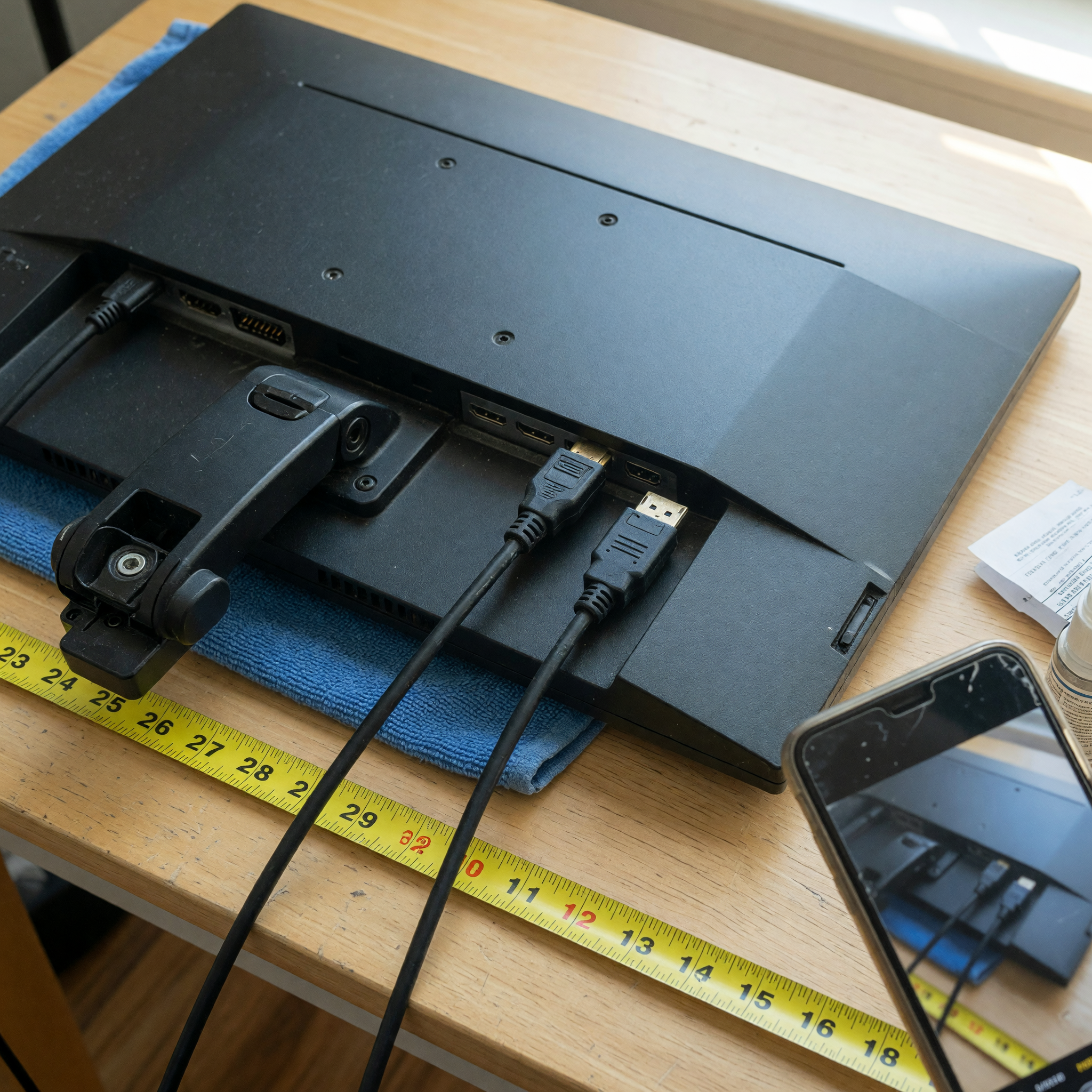
Stand details matter more than sellers expect. Say whether the stand tilts, swivels, raises, rotates, or is fixed. If the stand is missing, say whether the monitor supports VESA mounting and what mount pattern is shown on the back. A buyer with a monitor arm may still want it, but they need to know before pickup.
Use this used monitor listing checklist
Before you publish, collect the details below. The goal is not to sound technical for its own sake. The goal is to help a local buyer decide whether this exact monitor works with their laptop, desktop, dock, console, desk, or wall mount.
| Listing field | What to include | Better wording |
|---|---|---|
| Screen size | Diagonal size and overall width if useful | 27-inch screen, about 24 inches wide on desk |
| Resolution | 1080p, 1440p, 4K, ultrawide, or exact pixels | 2560 x 1440 resolution shown in display settings |
| Refresh rate | 60Hz, 75Hz, 144Hz, 165Hz, or unknown | 144Hz tested through DisplayPort |
| Ports | HDMI, DisplayPort, USB-C, VGA, DVI, audio, USB hub | Includes HDMI and DisplayPort; no USB-C input |
| Panel condition | Dead pixels, scratches, pressure marks, backlight bleed | No dead pixels noticed; small bezel scratch in photo |
| Included parts | Power cable, brick, stand, cables, screws, box | Power cable and stand included; HDMI cable included |
| Pickup terms | General area, timing, test option, packaging | Pickup near Midtown; can plug in before you buy |
If you have the specs but the listing still sounds messy, use the marketplace listing template generator to turn the monitor facts into a clean draft. Keep the final wording honest and specific; do not let a template add features you have not verified.
Test the screen and write what you actually checked
"Works great" is too thin for electronics because buyers need to know what worked during your test. Plug the monitor into a device, show a full-screen image if you can, open a plain white or light background, open a dark background, and check corners, brightness, lines, flicker, dead pixels, color patches, and whether the buttons or menu controls respond.
Good test wording sounds like this: "Tested today with HDMI from a laptop. Screen turns on, menu buttons work, brightness adjusts, no dead pixels noticed on white screen, no flicker during 15-minute test." If you cannot test a port, say so. "DisplayPort not tested because I do not have the cable" is a fair condition note. It is much better than silence.
For gaming monitors, mention the refresh rate and connection used during the test. For USB-C monitors, say whether the USB-C port carried video, charging, or both. For portable monitors, say whether the case, magnetic cover, stand, and cable are included. For older office monitors, be clear about VGA or DVI so a buyer with only HDMI does not show up unprepared.
Photograph the ports, flaws, and pickup reality
Photos should prove the monitor exists, works, and can be connected. Take a front photo with the screen on, a photo of the whole monitor off so glare does not hide scratches, a back photo showing ports, a close photo of the model label if it does not expose anything private, a stand or mount photo, and one honest flaw photo.
Do not use manufacturer stock images. Buyers want to see your actual screen, bezel, stand, cables, and scuffs. If the screen has scratches, cloudy spots, pressure marks, missing buttons, a cracked stand clip, an external power brick, or a loose HDMI port, include that in both the photos and the body copy.
Keep private details out of the frame: work documents, browser tabs, family photos, school papers, serial information you do not want public, and exact apartment numbers. For broader electronics browsing context, the Brixaz electronics section groups monitors with computers, phones, TVs, game consoles, and related gear, but your monitor listing should stay focused on one screen.
Price it with a reason and make pickup easy
Used monitor pricing depends on size, resolution, refresh rate, panel condition, age, brand demand, included stand, and whether the buyer can test it before paying. Do not chase the highest asking price you saw without checking whether that listing actually has better specs or accessories.
Use a simple pricing line: "Asking $90 because it is 27-inch 1440p, tested today, includes stand and power cable, and has one small bezel scratch." Or: "Priced low because the stand is missing and DisplayPort is untested." A reason helps negotiation because buyers understand whether the price reflects condition, speed, missing parts, or proven specs.
The listing price checker can help you sanity-check the ask before you publish. Then write pickup terms that reduce friction: general area, available windows, whether the buyer can see it powered on, whether you have the box, and whether you will hold it. Brixaz direct contact works best when the listing answers those first-message questions before the buyer has to ask.
Write safer first-message and pickup terms
Electronics listings attract quick messages, but not all of them are serious. Ask for the buyer's pickup window and whether they need to test a specific port. A practical line is: "Please send your pickup window and the connection you plan to use. I can plug it in through HDMI before pickup."
Meet in a practical, public, or controlled pickup setting when possible. If you are meeting at home, share the exact address only after a time is confirmed. Do not accept overpayment, shipping-agent pressure, gift card requests, or payment screenshots that cannot be verified. For a monitor, local pickup is usually simpler than shipping because packaging a screen poorly can destroy the item and create a dispute.
If you are unsure whether an early Brixaz listing is worth posting, read the founding sellers overview. The upside is low category competition, free posting, and direct buyer contact. The honest limit is that a newer marketplace may take longer to produce messages, so your best move is to publish a listing with enough proof to stand on its own.
FAQ
What should I include when I sell a used monitor?
Include screen size, resolution, refresh rate if known, panel condition, ports, stand or VESA mount details, included cables, test notes, price reason, general location, and pickup terms.
How do I check a used monitor before listing it?
Plug it into a laptop or desktop, test the available ports you can, display light and dark screens, look for dead pixels or lines, adjust brightness, and confirm the buttons or menu controls work.
Should I list HDMI, DisplayPort, and USB-C separately?
Yes. Buyers need to know which connection their device can use. Say which ports are present and which ones you tested. If USB-C supports video or charging, mention that clearly.
How should I describe scratches or dead pixels?
Be specific and photograph the issue. Write where the scratch, pressure mark, flicker, line, or dead pixel appears. If you did not notice dead pixels during a basic test, say that instead of promising a perfect panel.
Is it better to ship a used monitor or sell it locally?
Local pickup is usually simpler for a used monitor because screens are fragile and shipping requires careful packaging. If you do ship, make the buyer understand packaging, cost, and risk before payment.
Where should I post a used monitor on Brixaz?
Post it as a selling offer in the computers or electronics category. The prefilled Brixaz route sets the listing intent so local buyers looking for used tech can find it and message you directly.


Comments
Loading comments...
Checking sign-in status...