
Finish the Room Listing Readers Started on Brixaz
If someone opened your room listing and left before publishing, this guide shows how to finish it with the details renters need most: utilities, house rules, move-in costs, and trust-building clarity.
ARTICLE LANGUAGE
Showing original language
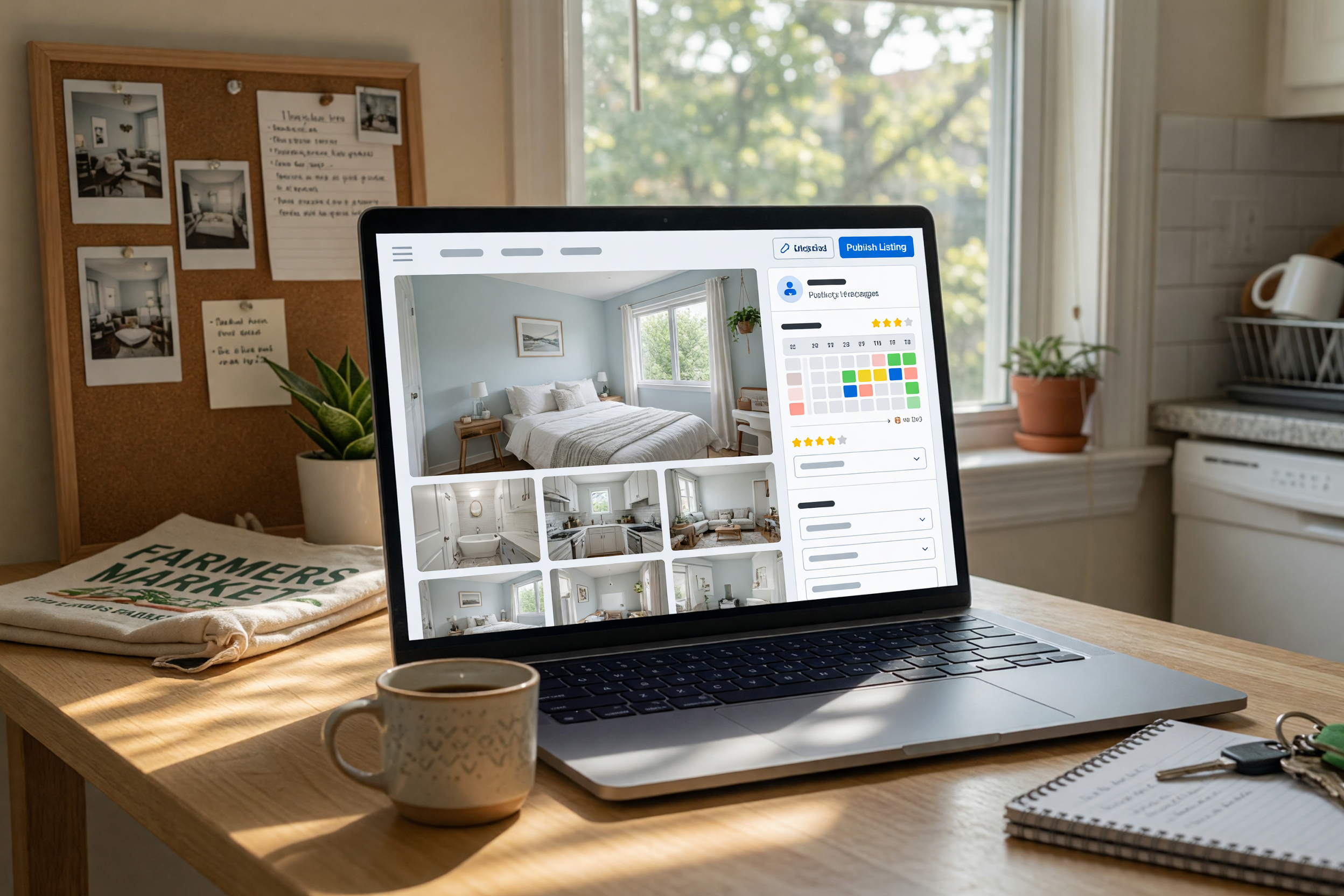
If you started a room post and paused, you are not alone. Many sellers open the form, add a few lines, then stop at the exact moment renters need the clearest details.
This guide helps you finish listing the room in a way that reduces questions, improves trust, and makes it easier for people to decide quickly using conversion.
Why unfinished room listings lose serious renters
An unfinished listing makes renters do extra work. If they cannot quickly understand the monthly price, what is included, and whether the room fits their routine, they will keep scrolling. That is true even when the room itself is a good match. The listing has to remove uncertainty fast, because uncertainty is what causes hesitation.
Many sellers assume a short listing feels simple and friendly. In practice, short can feel incomplete. Renters often compare several options at once, and the one with the clearest facts usually wins attention. When a listing looks abandoned or vague, people may worry the room is unavailable, the details changed, or the owner is hard to reach. A complete post signals that you are organized and ready to communicate.
To finish the listing readers started after “List a Room for Rent: Utilities, Rules, Move-In Costs,” focus on the basics that answer the first round of questions. When those details are visible up front, your inbox gets better leads and fewer repetitive messages.
Lead with the monthly number renters compare first
The rent amount is the first filter most renters use. Put the monthly price near the top and make sure it reflects the real monthly total, not just an attractive base number. If utilities are separate, say so clearly. If one price includes water, internet, or electricity, explain exactly which items are included and whether there are caps or shared costs.
Do not bury move-in costs in the middle of the post. Renters want to know the full first-month amount before they get emotionally attached. If there is a deposit, application fee, cleaning fee, or first and last month requirement, list each one plainly. A good rule is to write the cost in the same order a renter would pay it. That makes the listing feel honest and easy to scan.
When people search for a finish listing decision, they are usually trying to compare value, not just price. Clear numbers help them see that your room is worth contacting. Ambiguous pricing, on the other hand, often creates extra messages and fewer real applications.

Make utilities easy to read and harder to misread
Utilities are one of the fastest places for confusion. If a renter has to guess what “included” means, they may assume the worst. Spell out each utility separately when possible: electricity, water, gas, trash, internet, and any shared services. If the cost is split, describe the split plainly. If it changes by season, note that too.
You can also reduce confusion by identifying who pays what and when. For example, say whether utilities are paid to the landlord, split evenly among roommates, or billed individually. If there is a monthly average, mention that it is an estimate rather than a guarantee. That small detail prevents disputes later and makes your listing feel much more trustworthy.
One of the biggest mistakes in a form open no listing situation is leaving utility details for private messages. That creates friction and makes the first contact feel like homework. The more you clarify now, the more likely you are to receive serious replies from people who already understand the full cost of living there.
Write rules that filter the right renters without sounding harsh
House rules help you attract people who fit the space. They are not there to scare everyone away. Think of them as a filter that saves time for both sides. Start with the rules that matter most in daily life: pets, smoking, guests, quiet hours, shared cleaning, parking, and shared kitchen or bathroom use. If something is important to you, mention it directly rather than hinting at it.
Keep the tone calm and practical. Instead of writing a long list of restrictions, describe how the home works. For example, a shared-space rule can be framed as “shared areas are cleaned after use” rather than a negative warning. That approach feels professional and more respectful. It also helps renters imagine themselves living there without feeling judged before they apply.
If you are trying to finish listing the room quickly, rules may feel like the hardest section. But a short, clear rules section can improve the quality of every message you receive. It lowers the chance of conflict, reduces wasted time, and gives renters one more reason to trust the listing.
Add move-in timing, availability, and what happens next
Availability details are easy to overlook, but they matter a lot. Renters want to know when they can move in, whether the room is available now, and how flexible the start date is. If the room is ready immediately, say that directly. If there is a future opening, include the date and whether the date can shift a little.
You should also explain the next step after someone responds. For example, tell readers whether they should send a message, schedule a viewing, complete an application, or share basic screening information. This lowers back-and-forth and makes the process feel organized. People are more comfortable reaching out when they know what will happen after they click contact.
Do not make renters guess about turnover, notice periods, or lease length if those details affect the decision. A short sentence can solve a lot of uncertainty. When the timeline is clear, the listing feels active and real, which is especially important if a reader arrived from a post that had a form open no listing moment and was hoping for the full details.
Use photos, layout notes, and room facts to build trust
Even a strong description needs context. Renters want to picture the room and understand what they are getting. Mention basics like furnished or unfurnished, private or shared bath, closet space, natural light, floor level, and whether the room has a lock. These details help people compare rooms quickly and reduce the chance of surprise later.
If you have photos, choose ones that show the room honestly and in good light. The goal is not to stage perfection. The goal is to help people understand size, condition, and layout. When a room looks different from the description, trust drops immediately. The best listing is one where the words and the visuals match.
You can also note practical facts such as internet strength, laundry access, street noise, and nearby transit if they affect comfort. These details often matter more than polished wording. For a seller-acquisition article, the real goal is to help readers become confident enough to finish the listing and publish it without leaving important questions unanswered.
Use why early listings matter when that is the next step. Use listing assistant when that is the next step.
Frequently asked questions
What should I finish first in a room listing?
Finish the monthly rent, utilities, move-in costs, and availability first. Those are the details renters compare immediately.
Should I include every utility in the listing?
Yes, if possible. Listing each utility separately reduces confusion and helps renters understand the real monthly cost.
How strict should house rules be?
Be clear and practical, but keep the tone respectful. Rules should filter for fit, not make the listing feel unfriendly.
Why do renters leave if the listing is too short?
Short listings often leave out the facts renters need to compare options. When details are missing, people usually move on to a clearer post.
What makes a room listing feel complete?
A complete listing explains the price, utilities, move-in costs, rules, availability, and room facts in a way that is easy to scan.



Comments
Loading comments...
Checking sign-in status...