
Import a Facebook Marketplace Listing Without Rewriting It
Already have a marketplace ad? Reuse it on Brixaz with a tighter title, seven-field cleanup checklist, direct-contact wording, and no Brixaz fee taken.

ARTICLE LANGUAGE
Showing original language
If you already wrote a Facebook Marketplace listing for a couch, phone, appliance, car part, baby item, service, or room, do not rebuild it from scratch. Import that existing listing to Brixaz import, then tighten the few details that help a direct buyer or client decide whether to message you today.
This guide is for one specific seller: someone in the United States who already has listing text, photos, or a live marketplace ad but wants another free local surface with direct contact. The exact thing to post is the same item or service you are already offering, cleaned up with better category choice, pickup or booking terms, price logic, and a first-message prompt. Brixaz does not take a fee from your sale or booking, and there is no guaranteed view count, so the listing has to make every visitor count.
Reuse the Listing You Already Have
The shortest honest next step is import, not rewriting. Copying every detail by hand creates friction, and friction is the reason many useful listings never make it onto a second marketplace. If your current ad already has the item name, price, city, photos, condition, and a few sentences of description, that is enough raw material to start.
Before you import, decide what the listing is really trying to do. A seller with a used sofa wants one pickup-ready buyer. A phone seller wants a serious buyer who understands condition and carrier status. A tutor, cleaner, mover, or repair pro wants one direct lead who fits the service area. A room owner wants a renter who understands the dates, costs, and house rules before asking for a showing.
Do not paste in platform-specific clutter such as "cross posted," "no holds unless paid," or a long comment-thread update that only made sense in the old place. Keep the reusable core: what it is, where it is, what it costs, what condition it is in, and how pickup, delivery, showing, or booking works.
Tighten the Title Before You Import
A marketplace title should not sound clever. It should help a searcher recognize the listing in one scan. Keep the core words near the front: "used sofa," "iPhone 13," "washer and dryer," "math tutor," "room for rent," "junk hauling," or "2012 Honda Civic wheels." Then add the one qualifier that changes the buyer decision.
Bad title: "Great deal, must go." Better title: "Used gray sofa, 84 inches, pickup in Raleigh." Bad title: "Tutor available." Better title: "Algebra tutor for grades 7-10, weeknights online." Bad title: "Cleaning." Better title: "Move-out cleaning in Mesa, apartments and small homes."
The better versions do not try to sell harder. They remove uncertainty. That matters more on Brixaz because direct contact means the buyer or client reaches you without a bidding layer. A clear title gets you closer to a useful first message instead of another vague "details?" reply.
Add the Seven Fields Buyers Ask For Anyway
Most imported listings need a quick cleanup pass. The goal is not a longer post; it is a more complete post. If a buyer has to ask for basic facts, you have added one more chance for the conversation to die.

| Field to check | What to add before publishing | Example wording |
|---|---|---|
| Exact item or service | Name the thing in plain buyer language | "Queen bed frame with headboard" or "SAT math tutoring" |
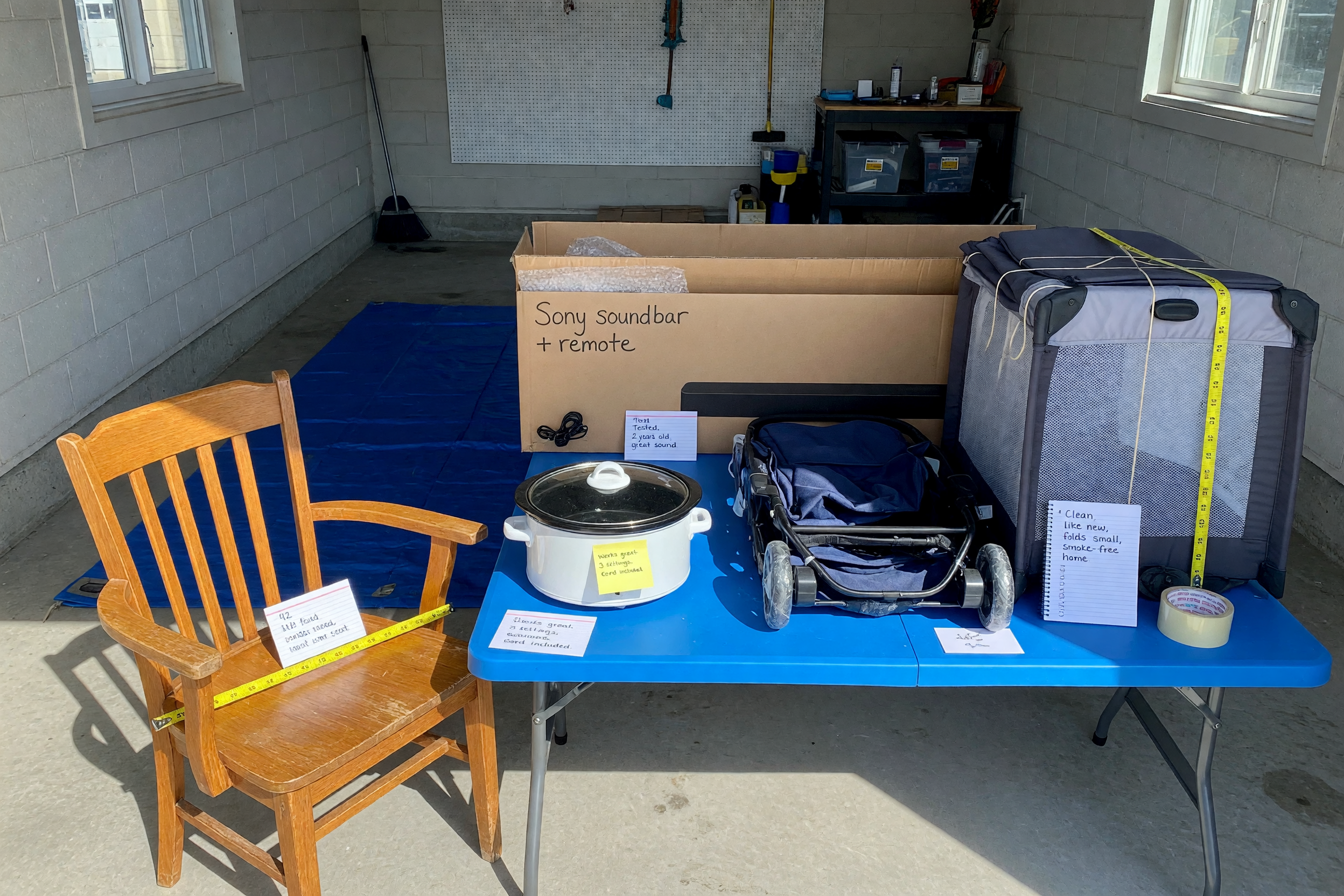
| Condition or scope | State what works, what is included, and what is not | "Works, has scratches on left side" or "Includes weekly homework review" |
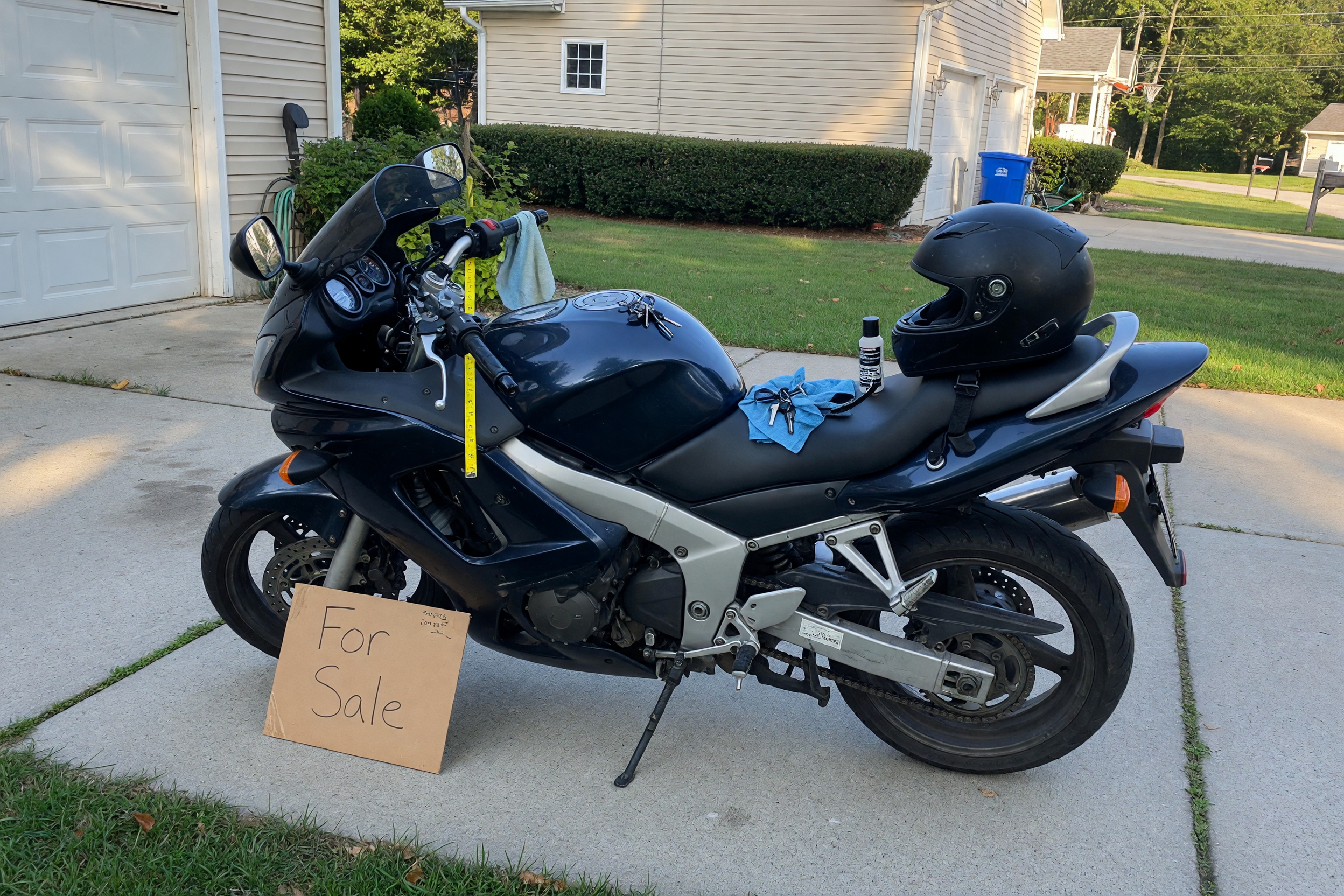
| Measurements | Add size, dimensions, model, grade level, load size, or room size | "84 in. W x 38 in. D x 34 in. H" |
| Location fit | Use city, neighborhood, service area, or online availability | "Pickup near North Austin" or "serving Queens and Brooklyn" |
| Price logic | Give price, range, firm status, or quote variables | "$180 firm" or "price depends on load size and stairs" |
| Pickup or booking | Explain timing, stairs, parking, help needed, or appointment rules | "Buyer brings two people; elevator building; evenings after 6" |
| First message prompt | Tell the reader what to send first | "Send pickup day, vehicle type, and whether you can bring help" |
If your listing is for used goods, the Brixaz sell-used surface is useful context for what buyers compare. If you are importing a service ad, keep the same seven-field habit but swap measurements for service area, minimum job size, availability, and proof photos.
Keep Pricing Honest When You Cross-Post
Cross-posting is not a reason to play price games. If the item is $150 in one place and $210 somewhere else with no explanation, buyers notice. If the service says "starting at $75" but every real job becomes $250, clients notice that too. A good imported listing keeps price logic simple enough that a stranger trusts the conversation.
For used items, say whether the price is firm, negotiable, reduced for quick pickup, or tied to a bundle. For services, say whether the price is hourly, per job, per session, per load, or quoted after photos. For rooms and rentals, state move-in costs, deposits, utilities, and date availability plainly.
Use the Brixaz listing price checker if you need a second pass on your number, but do not invent a bargain price just to get clicks. The best price is the one you will honor when the buyer arrives or the client books.
Choose the Right Brixaz Category and Contact Path
Category choice is not a small metadata chore. It decides whether the right person finds the post. A sofa belongs in furniture, a washer belongs in appliances, a tutoring offer belongs in classes, a cleaner belongs in services, and a room belongs in housing. A clean category saves you from the wrong audience and helps Brixaz build useful supply where early categories are still thin.
Here is the Brixaz-specific trade-off: the marketplace is still in founding-seller mode. That means the audience is smaller than older platforms today, there is no guaranteed sale or view count, and your listing has to be clear. It also means category competition is lower, posting is free, and interested people can contact you directly without Brixaz taking a fee from the sale or job. That is worth testing when you already have the listing copy.
If you want the broader context, the founding sellers page explains why early listings matter. For this article, the action is simpler: import the listing you already wrote and make the category exact enough that a buyer or client understands it without a long search.
Use a First-Message Script That Filters Noise
The last line of an imported listing should tell the reader what to send. This is where many otherwise decent posts fail. "Message me" creates weak messages. A specific prompt creates useful messages.
For used items, use: "Message with your pickup day, approximate arrival window, and whether you can bring the vehicle and help needed to move it." For electronics, add: "Tell me your carrier or intended use so I can confirm compatibility before we meet." For services, use: "Send your city, the job details, photos if helpful, and two times that work for you." For rooms, use: "Send your move-in date, number of occupants, pets if any, and your best showing window."
This is not about being difficult. It is about turning a browse visitor into a qualified conversation. Direct contact works best when your listing teaches the buyer how to start well.
For large-item sellers, the appliance version needs a few extra pickup facts: import a used appliance listing
For sellers reusing an ad from another marketplace, this related guide is useful: cross-post an OfferUp listing
Spanish-language seller guide: importar anuncio de Facebook Marketplace
After you import, how to list those drafts from your AI
Frequently Asked Questions
Can I reuse a Facebook Marketplace listing on Brixaz?
Yes, if it is your own listing and the details are still accurate. Reuse the useful parts: title, photos, price, item condition, service scope, location, and pickup or booking rules. Remove platform-specific notes that do not help a new buyer.
What should I fix before importing a listing?
Fix the title, category, measurements, condition details, price wording, pickup or appointment instructions, and first-message prompt. Those seven fields answer the questions buyers usually ask before they are ready to meet or book.
Should I import a listing if I already posted it somewhere else?
Yes, when the listing is still available and you can respond to new messages. Cross-posting works best when the price and availability match everywhere, so remove or update the Brixaz post as soon as the item sells or the service slot fills.
What kinds of listings are best to import?
Used furniture, electronics, appliances, vehicles, baby gear, rooms, local services, and one-time gigs are good candidates. The best import is a real offer with photos, a clear location or service area, and a seller who can respond quickly.
Does Brixaz take a fee from my imported listing?
No. Brixaz lets buyers, clients, and sellers contact each other directly. You still need to price honestly, meet safely, and manage your own sale, booking, pickup, or rental conversation.
How do I avoid low-quality messages after importing?
Make the listing more specific. Add the exact item or service, condition, price logic, pickup or booking rules, and a sentence telling the person what to send first. The more useful the listing is, the less room there is for vague back-and-forth.
An imported listing should feel familiar to you and clearer to the next person reading it. Keep the work you already did, remove the noise, add the missing decision details, and make the next message easy to answer.


Comments
Loading comments...
Checking sign-in status...