
List and Manage Brixaz From Your AI
The Brixaz MCP connector is live. Connect Cursor, ChatGPT, Claude, or Grok, approve your account, and let the assistant post, renew, and answer messages in your name.
ARTICLE LANGUAGE
Showing original language
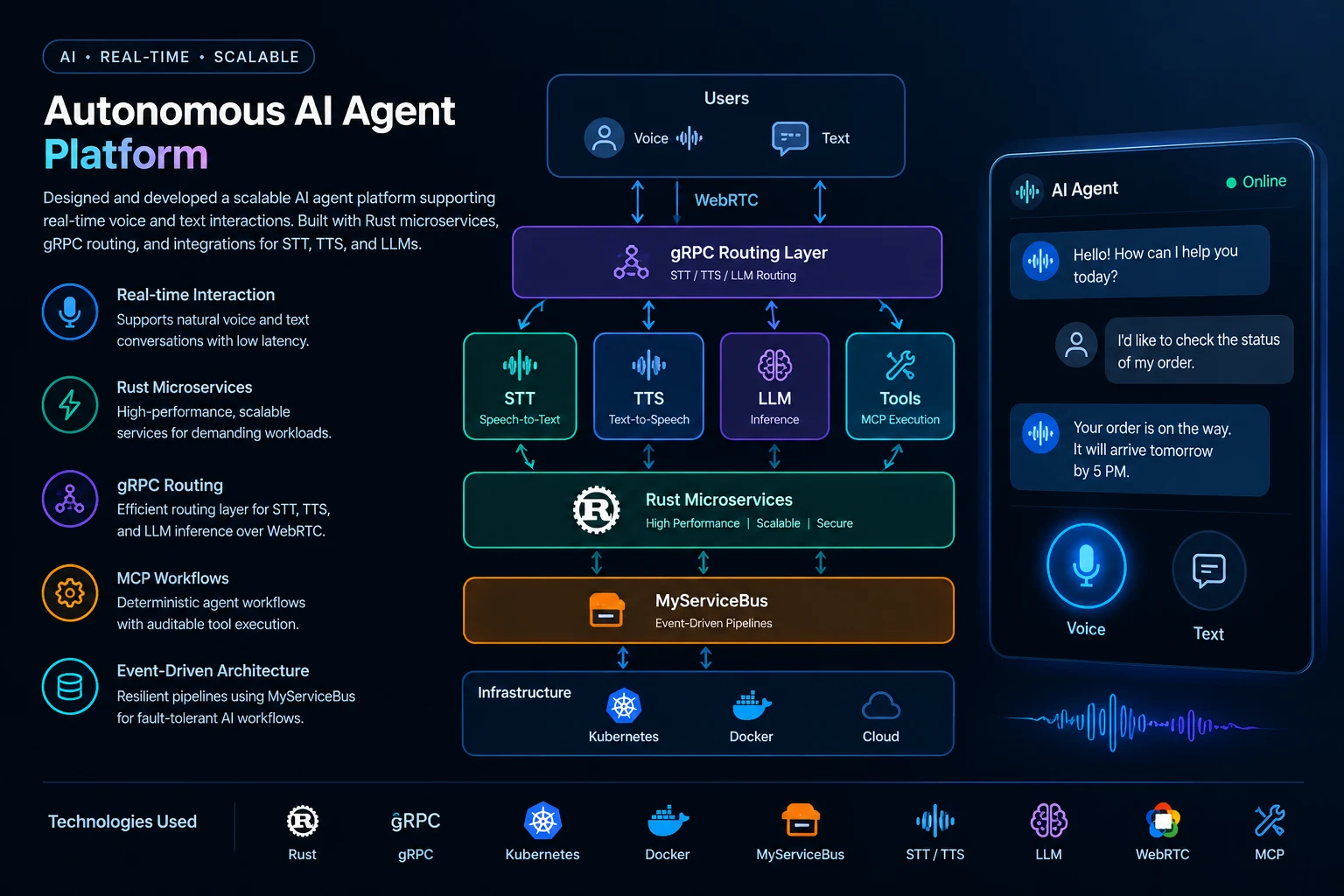
Brixaz just shipped a Model Context Protocol connector. That is the official bridge between your Brixaz account and the AI apps you already use. After you approve a sign-in screen, Cursor, ChatGPT, Claude, or Grok can search public listings, post under your name, renew inventory, and help with your inbox. It cannot open another seller's private listings or messages.
This is not a chatbot bolted onto a help page. The connector lives at https://brixaz.com/mcp and talks the same protocol those apps already understand. The human setup guide is a different URL. If you paste the guide into a connector field, the client will fail. Paste the connector. Read the guide in a browser.
Buyers who never connect an AI still use the public website. Search, listing pages, and city pages remain the crawlable discovery path. The connector is an extra control surface for people who already draft listings, answer leads, and keep inventory current from an assistant.
What the connector actually does
MCP is a standard way for an assistant to call tools on a remote server. On Brixaz those tools map to real marketplace actions. Public tools can search listings, explain a card, compare a few results, share a WhatsApp-ready link, and pull a trust card. They do not return phone numbers or emails. Signed-in tools can create and edit your listings, upload photos, import a pasted Facebook or WhatsApp dump, list your inbox, suggest a reply, renew what is about to expire, and check completeness scores.
The server is branded com.brixaz/marketplace. Prices stay in USD. Official categories and city slugs come from the same taxonomy the website uses, so an assistant should not invent a category name. Housing and item listings that need a photo stay out of search until at least one image is attached. That rule is the same whether you click Post in the browser or ask an assistant to publish.
Some clients open the connector with an initialize handshake that requires Sign in before they show the full tool list. That is expected. Ask the assistant for setup info after you approve access. Authenticated should be true before you ask it to post or read your inbox.
Who this is for
The first audience is sellers who already keep a lot of inventory moving. If you sell furniture lots, flip appliances, run a lawn route, or post remote services every week, typing the same fields into a form is wasted time. An assistant that already has your photos and a city can draft a title, pick the official category, and publish after you check the result.
The second audience is people who import ads they already wrote elsewhere. Brixaz already has a paste-import path. The connector adds import_from_text so you can drop a Facebook Marketplace or WhatsApp group dump into the assistant and get up to twenty drafts. Pair that with the browser import page when you would rather review cards on a large screen.
The third audience is buyers and researchers who want a faster read of public supply. They can ask an assistant to search a city, compare a few listings, or explain whether a price looks high. Those tools stay public and still hide owner contact details. If you want to message a seller, you still do that on the listing page like everyone else.
Remote service sellers get a clean fit. A listing that already explains scope, time zone, and payment, like the remote services template, is easier for an assistant to keep current than a vague "I do AI" card. The connector does not replace a clear offer. It removes the mechanical work around that offer.
How to connect Cursor, ChatGPT, Claude, or Grok
Open the Brixaz MCP guide in your browser first. Copy the connector URL from there: https://brixaz.com/mcp. Do not paste https://brixaz.com/ai/mcp into Cursor, ChatGPT, Claude, or Grok. That page is documentation. The connector endpoint is only /mcp.
In ChatGPT, add an app or connector and paste the endpoint into the server URL field. Then use Authenticate or Sign in and tap Allow on Brixaz. Claude.ai, Claude Desktop, and Claude Code use the same URL in Connectors. Cursor and Grok Bot also speak the initialize flow. When the Allow card appears, use it. When it does not, open the connect page, create a personal token, and give it to the assistant through a secure MCP authorization field. Never paste a token into a chat you would forward or screenshot.
The consumer Gemini app cannot add Brixaz as a sign-in MCP connector. Gemini Enterprise on Google Cloud can talk to MCP servers, but that is an admin setup, not the phone app. For a personal Brixaz account, use Grok, ChatGPT, Claude, or Cursor.
Brixaz does not charge per assistant message and does not proxy those models. You keep paying the AI app you already use. A free Brixaz account is enough to connect. Grow and promoted placement stay optional and stay on the website when you want paid visibility.

What you can do after you sign in
Start with a boring check. Ask the assistant whether it is authenticated and what your account can do. Then ask it to list your listings. If that works, the session is real. From there the useful loops are short.
Posting: give it a city, category, price, and two or three photos. Ask it to create the listing, then ask for a completeness score. If the score is low, fix the title or add a measurement before you share the link. Renewing: ask for a renew plan, then renew the ones that expire in the next few days. Inbox: ask it to show threads where it is your turn, then ask for three reply drafts. You send the one that sounds like you. The assistant can also prepare a WhatsApp draft that you send yourself. It does not message the other person on WhatsApp for you.
Photos still matter. A housing or item listing without an image will not rank in search. You can attach HTTPS image URLs, small data URIs, or a two-step upload the client hosts. One good photo beats five dark screenshots. The same photo-quality bar you use on the website applies here.
Offers, saved listings, search alerts, reviews, and webhooks are available on a signed-in session. Community questions can be posted as you. Meetup-style events are not a live Brixaz surface yet, so do not ask the assistant to create an event and expect a public calendar page.
What stays on the public website
Google, ordinary browsers, and assistants that never connected still discover Brixaz through listing pages, search, and city hubs. The connector is not a secret inventory feed. Public search through MCP returns the same kind of card a guest would see: title, price, city, and enough context to decide whether to open the page. Contact details stay off that path.
That split is intentional. A marketplace that leaked phones through any assistant would become a spam target on day one. Brixaz keeps the same anti-scam filters on assistant replies that it uses on the website. If a draft looks like a wire-transfer script, the server blocks it and can return a safer rewrite.
You should still publish listings that a stranger can understand without an AI. Clear photos, a specific title, and a city or remote scope help both humans and assistants. The connector is fastest when the listing would already have worked in a browser.
How this changes posting and inventory work
The old loop for a serious seller was tab-heavy. You wrote a title, picked a category, uploaded photos, answered the first three messages, and remembered to renew before the card dropped out of search. The new loop can live in one assistant thread: draft, publish, attach photos, check completeness, share a WhatsApp link, and renew the stale ones on Friday.
That only helps if you stay in the loop. An assistant will happily publish a vague title if you let it. Treat it like a fast clerk. You approve the city, the price, and the photo. You decide when a thread needs a human sentence. You revoke the connection on the connect page if a laptop is lost or a session feels wrong.
If you already import Facebook Marketplace copy, keep using that habit. Import into drafts, then ask the assistant to finish photos and publish the ones that are actually still for sale. Do not dump a year of expired ads onto Brixaz and hope search quality holds. The marketplace stays useful when inventory is current.
Brixaz is still a direct-contact marketplace. There is no commission on a successful sale. The assistant does not take payment or hold goods. It posts, organizes, and drafts. You and the other person still agree on pickup, payment, and timing.
FAQ
What is the Brixaz MCP connector?
It is the official server that lets an approved assistant use Brixaz tools as you. You grant access. The assistant can search public listings or manage your own inventory. It cannot open another account.
Which URL do I paste into Cursor or ChatGPT?
Paste https://brixaz.com/mcp. The page at /ai/mcp is the human guide. If you paste the guide URL into a connector field, the client will not authenticate.
Do I have to copy a token?
Not if Sign in or Authenticate appears. Tap Allow on Brixaz. If that card never appears, create a personal token on the connect page and pass it through a secure authorization field, never through ordinary chat.
Does Brixaz charge for ChatGPT or Cursor tokens?
No. Those apps bill their own usage. Brixaz does not proxy the model and does not charge per assistant message. A free Brixaz account can connect.
Can the assistant see someone else's inbox?
No. Public search looks like the website. Inbox, private listings, and account tools are limited to the signed-in user. Attempts to cross accounts are blocked.
Can I still post from my phone without an AI?
Yes. The website post flow, WhatsApp post, and import page all still work. MCP is optional.



Comments
Loading comments...
Checking sign-in status...