
How to Write a Computer Help Service Listing That Gets Calls
A clear, no-fluff guide for tech-support pros: exactly what to put in a computer help service listing so local buyers understand your fix, your rate, and how to reach you today.
ARTICLE LANGUAGE
Showing original language
People searching "computer help near me" are rarely browsing. Their laptop won't boot before a work call, their photos are trapped on a dead phone, or a parent's PC is buried in pop-ups. They want one clear answer: can you fix it, how much, and how fast. If you repair computers, set up devices, or clean up malware, the fastest way to turn that panic into a paying job is a plain, specific listing. Post your service on Brixaz as an offering and let buyers contact you directly, with no lead fees taken out of the job.
This guide shows the exact fields a computer help listing needs, a copy-and-paste template, how to price without guessing, and the bad-versus-better wording that decides whether a stressed buyer calls you or the next tech. It is written for the provider who can post today, not for someone shopping for a laptop.
What a computer help listing needs to earn a call
A buyer with a broken computer skims. In about five seconds they decide whether you sound competent, local, and safe to let into their home or hand a device to. A strong listing answers five questions before they ever message you:
- What exactly do you fix? Virus and malware removal, slow-PC tune-ups, laptop screen and battery swaps, data recovery, Wi-Fi and printer setup, new-PC and TV setup, email and password recovery, small-business network help.
- Who are you good for? Home users, seniors who want patient in-person help, remote workers, or small shops with a few machines.
- Where and how do you work? In-home visits within a set radius, drop-off and pickup, or secure remote sessions.
- What does it cost? A diagnostic fee, an hourly rate, or flat prices for common jobs.
- How fast can you respond? Same-day, next-day, evenings and weekends.
Miss any of these and the buyer fills the gap with doubt, then keeps scrolling. The rest of this guide turns each question into a line you can actually write.
The 6-line computer help listing template
You do not need a wall of text. Six focused lines outperform a long, vague paragraph because a worried buyer can scan them fast. Fill in the brackets and you have a complete listing:
- Headline: [Service] in [City] — [speed or specialty]. Example: "Computer & Laptop Repair in Austin — same-day virus removal and tune-ups."
- What I fix: A tight list of your top 5-7 jobs, most-requested first.
- How I work: In-home, drop-off, or remote, plus your service area and hours.
- Pricing: Diagnostic fee and hourly rate, or flat prices for common fixes.
- About me: One or two lines on experience, tools, and a data-handling promise.
- Contact: How to reach you and what to send (device, symptom, error message, city).
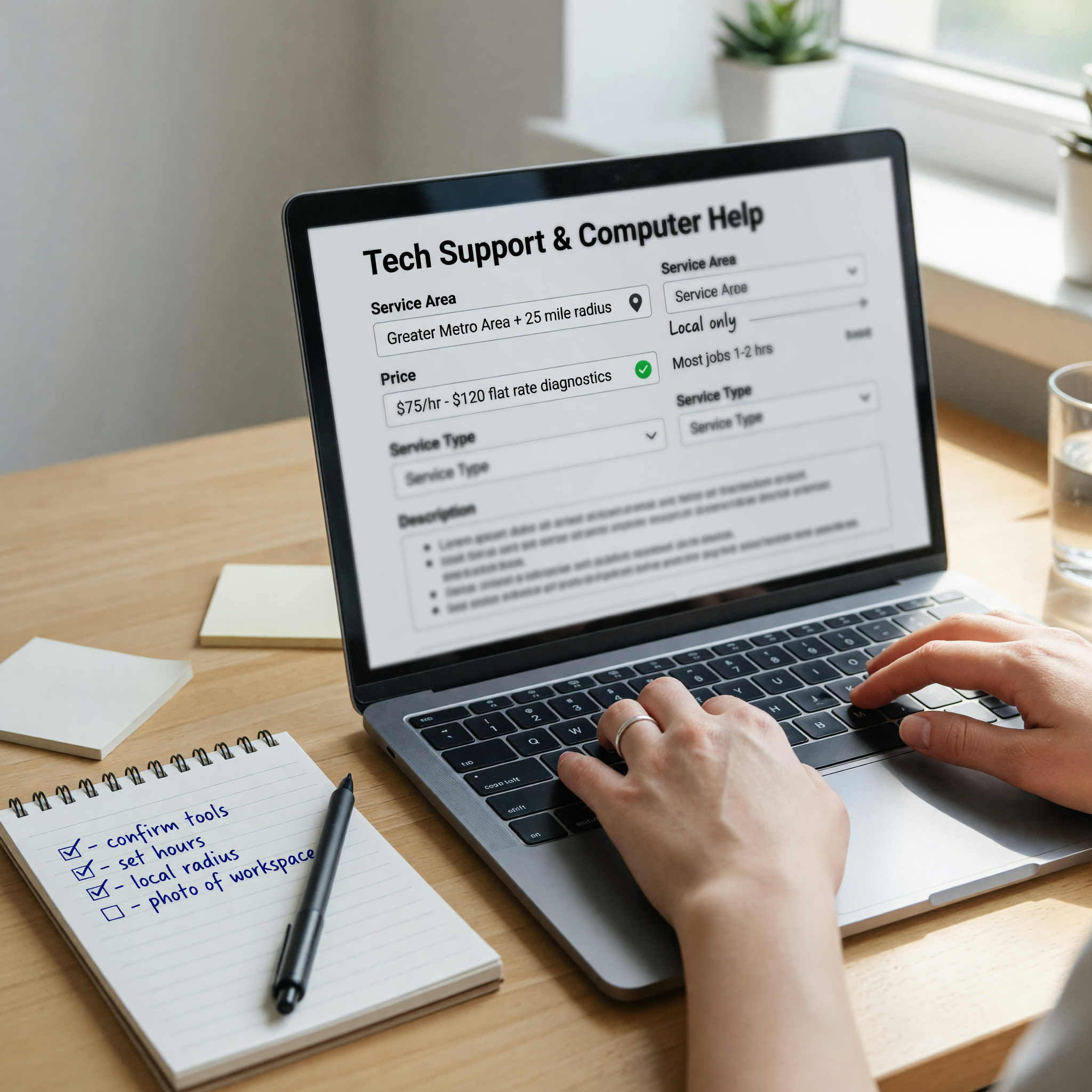
Because Brixaz puts buyers in direct contact with you, that last line matters: tell them what to include so the first message already contains the device, the symptom, and their city. That one instruction removes a full round of back-and-forth and gets you to a real quote faster than any lead-broker app.
Price your computer help service so buyers trust it
Silence on price reads as "expensive" or "not serious." You do not have to publish one number for every job, but you should anchor the buyer with a diagnostic fee and a rate. Naming a floor filters out people who wanted a free favor and reassures the ones ready to pay. If you are unsure where your market sits, run your common jobs through the Brixaz listing price checker before you post, then round to clean, believable numbers.
Use a short table so buyers self-qualify before they message:
| Common job | How to price it | What to state in the listing |
|---|---|---|
| Diagnostic / look-over | Flat fee, waived if they book the fix | "$[X] diagnostic, applied to the repair if you go ahead." |
| Virus & malware cleanup | Flat or 1-2 hour block | "Full cleanup and speed-up from $[X]." |
| Tune-up / slow PC | Hourly or flat | "$[X]/hr, most tune-ups done in one visit." |
| Screen or battery swap | Labor + parts quoted after model | "Labor from $[X]; parts quoted once I have the model." |
| Setup (PC, printer, Wi-Fi, TV) | Flat per device or job | "New device setup from $[X] per item." |
| Data recovery | Assessed first, no-fix-no-fee if possible | "Recovery assessed first; you approve the price before I start." |
Two rules keep pricing trustworthy: never invent a part price before you know the model, and always separate labor from parts so the buyer sees your fee is fair. "Quoted once I have the model" sounds honest; a made-up number that changes later sounds like a bait price.
Define your service area and remote vs on-site
Computer help is unusual among local services because a large share of it can be done remotely. Say plainly which jobs you do in person and which you can handle over a secure remote session, because that decision doubles your reachable customers and sets buyer expectations up front.
- On-site: Hardware swaps, Wi-Fi and printer setup, dead machines, and any buyer who wants a person in the room. Give a real radius: "In-home within 20 miles of [City]."
- Remote: Virus cleanup, software installs, email and password help, tune-ups, and "walk me through it" sessions. If you take remote work, list it separately as a remote service so buyers outside your driving radius can still find and book you.
Spell out drop-off too. "Drop-off and pickup available at my [neighborhood] location, most repairs back within [X] days" gives a nervous buyer a concrete picture instead of a mystery. Concrete beats vague every time.
Bad vs better: computer help listing copy that converts
The difference between a listing that gets messages and one that gets ignored is almost always specificity. Compare these:
Weak: "Experienced tech. I can fix any computer problem. Great prices. Message me for details."
Strong: "Computer & laptop repair in [City] and 20 miles around. Same-day virus removal, slow-PC tune-ups, screen and battery swaps, Wi-Fi and printer setup. $[X] diagnostic applied to the repair. Remote cleanup also available. Evenings and weekends OK. Text me your device, the problem, and your zip and I'll give you a real quote today."
The strong version names the fixes, the area, the price floor, the hours, and exactly what to send. It reads like someone who has done this a hundred times. If you get stuck writing yours, the Brixaz listing assistant can turn your rough notes into clean, scannable lines while keeping your real prices and area. Do not copy generic phrasing you have seen elsewhere; buyers can tell, and specific always wins.
Safety, trust, and getting paid
Because you are entering homes or handling devices full of personal data, trust is part of your pitch. Bake it into the listing instead of hoping the buyer assumes the best:
- Data handling: One line such as "I never access personal files beyond the repair and I can wipe my access when the job is done" calms the biggest fear seniors and parents have.
- Payment: State when payment is due and what you accept. "Payment on completion; cash, card, or app" prevents awkward surprises.
- Boundaries: Be clear about what you do not do (for example, no illegal software, no cracking someone else's locked account) so you attract the right jobs.
- Meeting safely: For drop-offs, use a consistent, findable location. For in-home visits, confirm the address by message first and keep the conversation on the platform.
Here is the Brixaz-specific insight most techs miss: because buyers contact you directly and no middle app skims the job, your first reply is your close. A fast, specific message that repeats their symptom, states the likely fix, and gives a real price range turns a browser into a booking. On lead-broker apps you are one of five quotes; on a clean direct listing you are the person who already sounds like the answer.
For tech providers who also take freelance projects, this guide explains how to position web, app, and computer help as a direct-contact local service. freelance work near me
If you handle local tech calls, this newer guide narrows the offer for one city: computer IT support in Lakewood
FAQ: posting a computer help service listing
What should I title my computer help listing?
Lead with the service and your city, then a specialty or speed: "Computer & Laptop Repair in [City] — same-day virus removal." Buyers search the service plus a place, so putting both in the first half of the headline helps you get found and clicked.
Do I have to list a price?
You do not need a price for every job, but you should anchor buyers with a diagnostic fee and an hourly rate or a few flat prices. A visible floor filters out free-favor seekers and signals you are a real business. Quote model-specific parts only after you know the device.
Can I offer computer help remotely instead of in person?
Yes, and you should say so. Virus removal, software installs, tune-ups, and password help are often done over a secure remote session. List remote work separately so buyers outside your driving radius can still book you, which meaningfully widens your customer pool.
How do I get buyers to send the right details in the first message?
Tell them exactly what to include: device and model, the problem or error message, and their city or zip. One instruction on your listing removes a round of back-and-forth and lets you send a real quote in your very first reply.
How do I build trust with seniors and cautious buyers?
Add a short data-handling promise, name your hours, and offer a clear diagnostic fee applied to the repair. Patient, specific wording ("I will explain what I'm doing as I go") reassures cautious buyers far more than claims like "best prices" or "any problem solved."
Is it really free to post on Brixaz?
Yes. You post your computer help service for free, buyers contact you directly, and no lead-broker fee is skimmed from the job. Your rate is your rate.

Comments
Loading comments...
Checking sign-in status...